How do I delete my account?
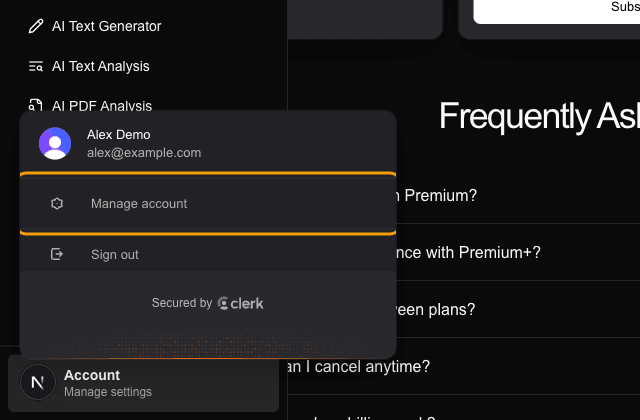
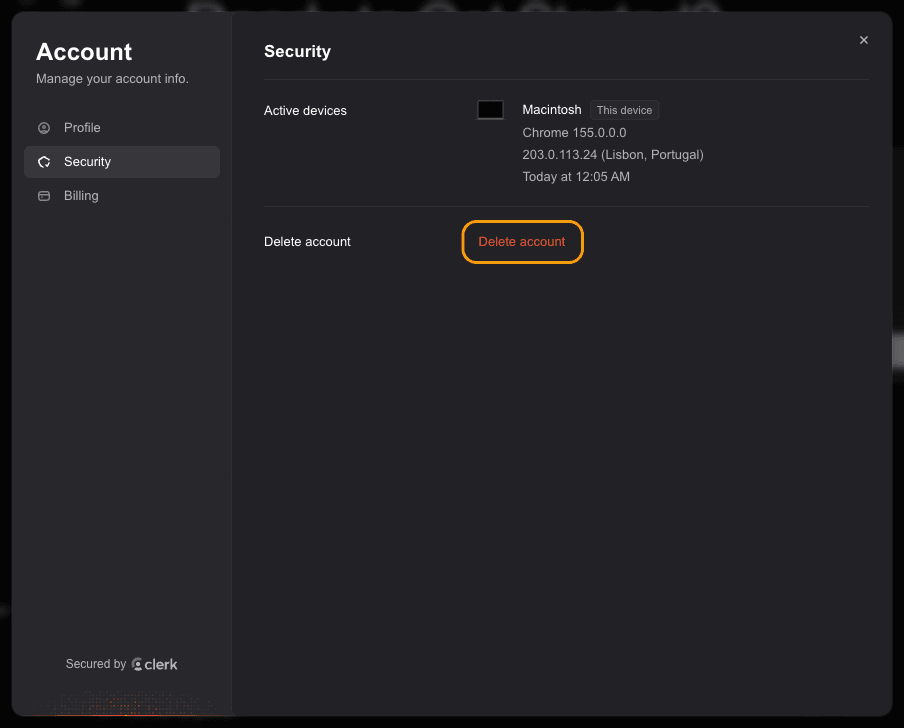
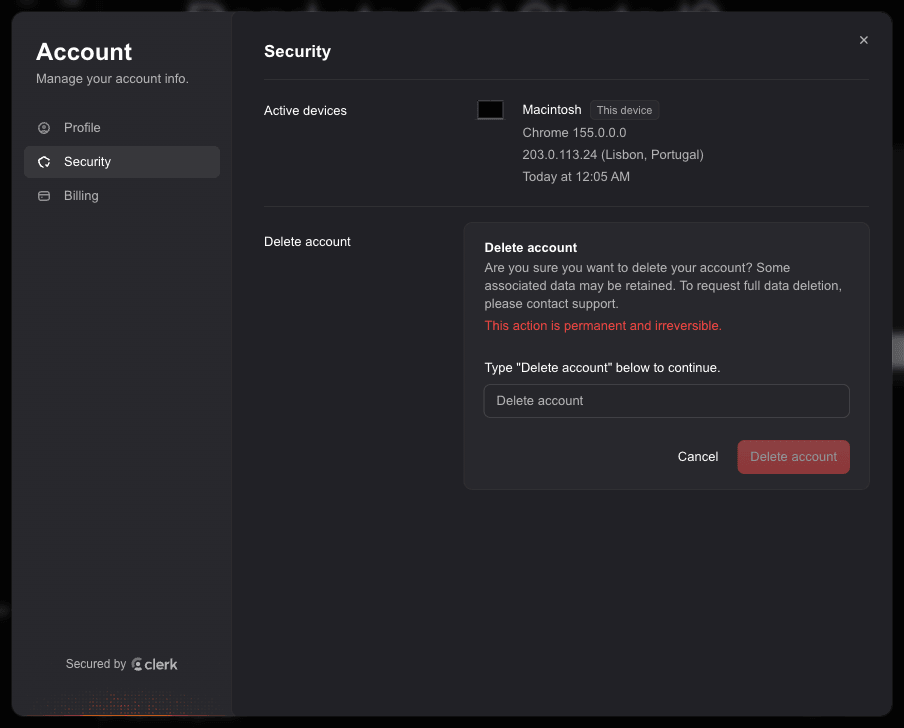
Open the sidebar, click Account, then Manage account. In the Security tab, click Delete account and type "Delete account" to confirm. It is permanent.
Step by step
If you have an active subscription, cancel it first from the Billing tab, just to be safe.
Open the sidebar (the panel icon at the top left, or the menu button at the bottom of the screen on a phone), click Account at the bottom, then click Manage account.
In the Account window, open the Security tab and click Delete account.
Type "Delete account" in the box and click the red Delete account button. This is permanent and cannot be undone.
You can also go straight to justbuildthings.com/account/security once you are signed in.
Deleting the account cannot be undone, so download anything you want to keep first.
Tool settings saved in your browser (like chat character settings) are not part of your account. Clear them from your browser if you want those gone too.
Related questions
Still stuck?
Email support@justbuildthings.com or browse all questions.