How do I cancel my subscription?
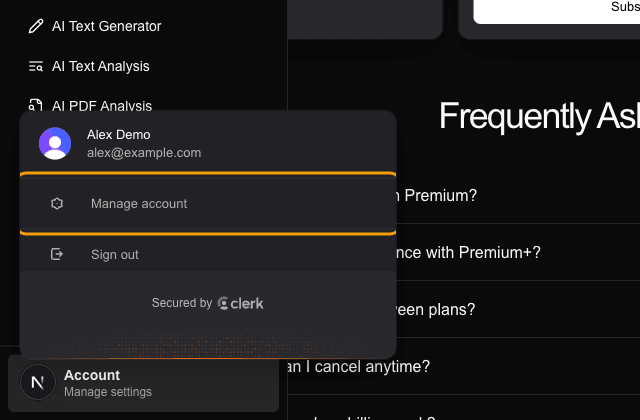
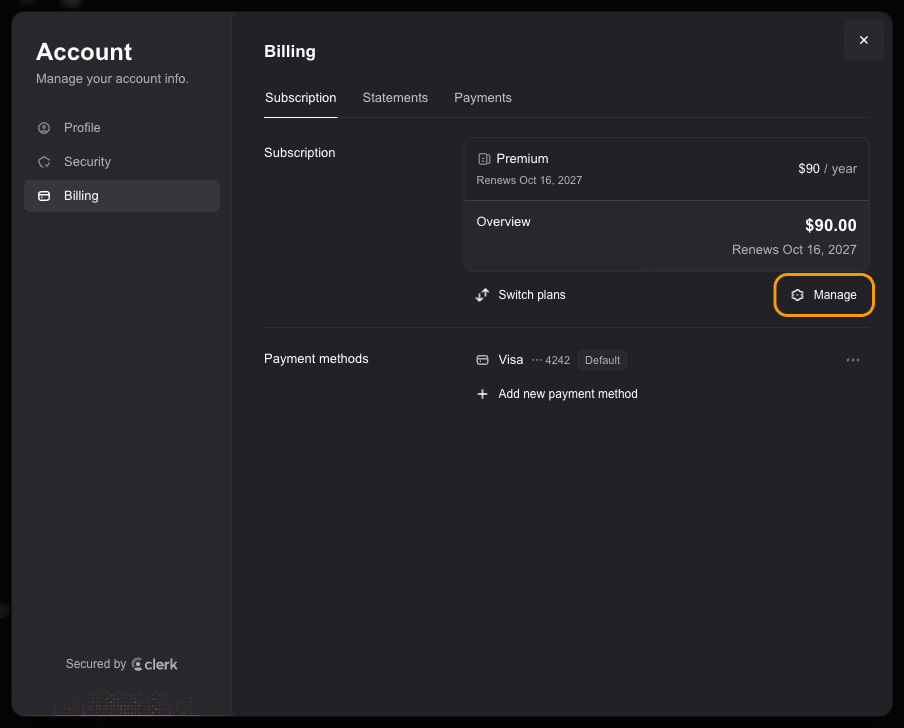
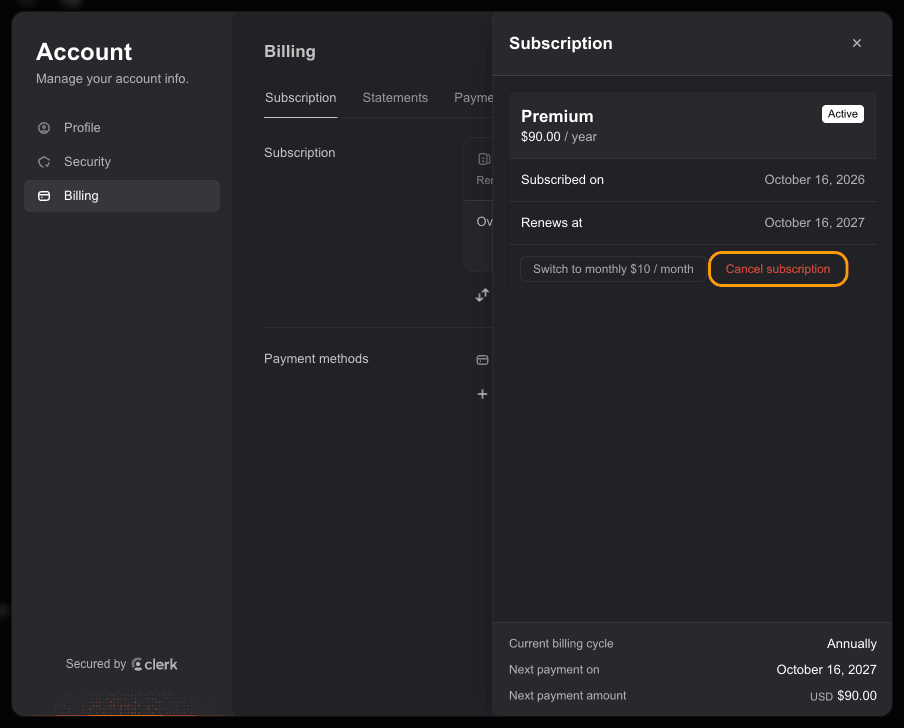
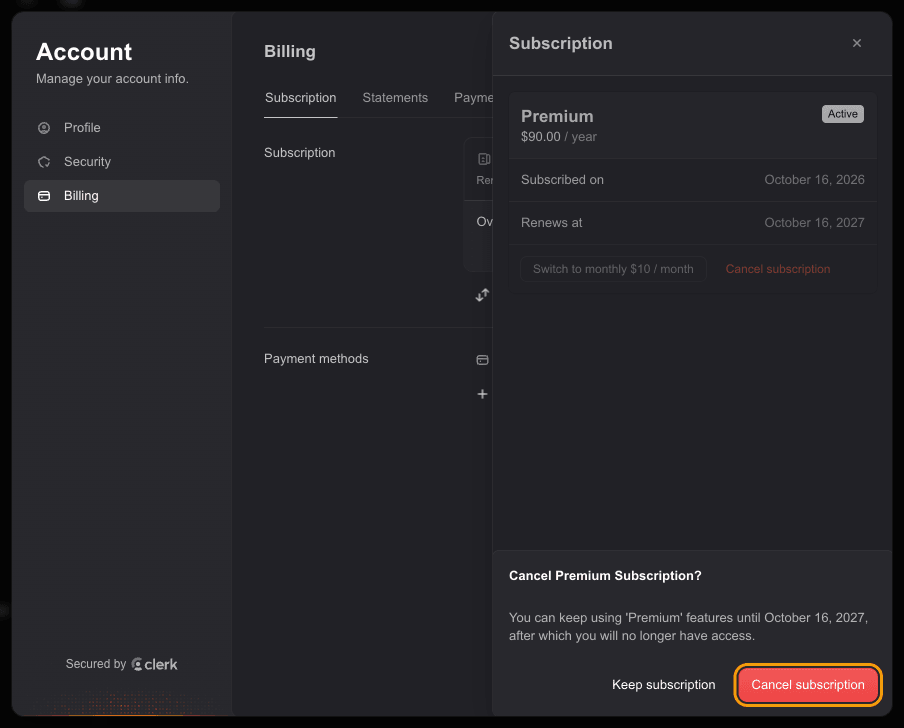
Open the sidebar, click Account, then Manage account. In the Billing tab, click Manage, then Cancel subscription. You keep access until the end of the period you already paid for.
Step by step
Open the sidebar (the panel icon at the top left, or the menu button at the bottom of the screen on a phone), click Account at the bottom, then click Manage account.
In the Account window, open the Billing tab and click Manage next to your subscription.
In the Subscription panel, click Cancel subscription.
Confirm with the red Cancel subscription button. You keep your plan features until the date shown, then your account moves back to the free plan.
You can also go straight to justbuildthings.com/account/billing once you are signed in.
Cancelling does not delete your account. If you want that too, delete the account after cancelling.
Related questions
Still stuck?
Email support@justbuildthings.com or browse all questions.